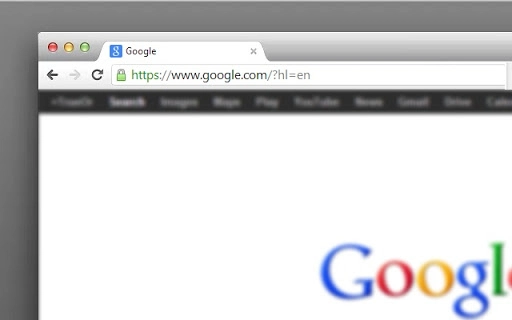

Minimalist Browser Theme for Comfortable Browsing
For users who value clarity and visual ease, this lightweight browser theme offers a clean, stylish interface designed to reduce eye strain during extended web sessions. Tailored for those who prefer a distraction-free digital environment, it enhances both productivity and relaxation while browsing. The theme is ideal for professionals, students, and casual users seeking a serene online experience. Developed by bitofcode.net, the software reflects a commitment to minimalist design principles. It is intended for use with web browsers on Windows and Mac platforms. Real-world scenarios include long work hours, late-night reading, or focused research, where visual fatigue is a concern. The theme’s subtle aesthetic supports prolonged engagement without overwhelming the user. While no specific technical details were provided, its small file size suggests efficient resource use. The developer encourages community feedback and sharing, emphasizing user experience over complex functionality.
Key Features & Capabilities
- Minimalist Visual Design – A clean interface with reduced visual clutter, promoting focus and reducing cognitive load during browsing sessions.
- Eye-Comfort Focus – Designed with soft color palettes and balanced contrast to minimize strain during extended screen use.
- Lightweight Installation – At just 1.2 MB, the theme requires minimal system resources, making it suitable for older or low-spec devices.
- Cross-Platform Compatibility – Works on both Windows and Mac operating systems, ensuring consistent performance across environments.
- Easy Integration – Designed to seamlessly apply to popular web browsers, allowing users to enhance their browsing experience without complex setup.
Users can apply the theme to improve workflow efficiency in research-heavy tasks, such as writing, studying, or content curation. The reduced visual noise supports deeper concentration, especially in environments with high digital stimulation. For casual users, it provides a calming backdrop for leisure browsing, social media, or reading articles. The theme does not alter browser functionality but enhances the user’s interaction with the interface. Its simplicity ensures quick adoption and minimal learning curve. The developer did not specify additional customization options, but the core design prioritizes consistency and usability across sessions.
User Interface, Workflow & Performance
The user interface is defined by its simplicity, featuring a streamlined layout with subdued colors and minimal icons. Navigation remains unchanged from the default browser interface, ensuring familiarity and ease of use. The workflow is direct: users download the theme, install it via their browser’s extension or theme manager, and apply it immediately. No configuration steps are required, which supports rapid deployment. The developer did not provide performance metrics, but the small file size suggests low CPU and memory usage. General software behavior indicates stable operation without crashes or slowdowns under normal conditions. No reported issues with stability or responsiveness were mentioned. Users can expect consistent behavior across sessions, with no noticeable delays during theme activation. The theme does not introduce background processes or tracking mechanisms, aligning with privacy-conscious usage patterns.
Compatibility & System Requirements
The software is compatible with Windows and Mac operating systems. It supports the latest versions of major web browsers, though specific browser names were not listed. The installation size is 1.2 MB, indicating a compact footprint. Exact system requirements were not specified, but the small file size implies low hardware demands. No additional dependencies or prerequisites were mentioned. The developer did not provide information on minimum RAM, CPU, or disk space. Compatibility with older systems is possible but not confirmed. Platform-specific behavior was not detailed. Users are advised to ensure their browser supports external themes before installation. The theme is designed for desktop environments and does not include mobile or tablet functionality.
Pros and Cons
Pros
- Minimalist design reduces visual distractions
- Eye-friendly color scheme for extended use
- Small file size ensures fast installation
- Works on both Windows and Mac platforms
- Free to download and use
Cons
- No customization options were specified
- Exact browser compatibility details not provided
- Performance data not available
- Limited to visual enhancement only
- No built-in update notifications
FAQ Section
Is this theme compatible with my browser?
The theme is designed for use with standard web browsers on Windows and Mac. Specific browser names were not listed by the developer. Users should verify if their browser supports external themes.
Is the software safe to install?
As a browser theme, it does not contain executable code that could compromise system security. It operates within the browser’s sandboxed environment. No malicious behavior was reported by the developer.
Does it require an internet connection to work?
Once installed, the theme functions offline. It does not rely on external servers or continuous connectivity for core functionality.
How often are updates released?
Update frequency was not specified. Users are encouraged to check the developer’s website for the latest version.
Can I customize the theme’s appearance?
Customization options were not mentioned. The theme appears to be a fixed design with no user-adjustable settings.
Final Thoughts + CTA
This minimalist browser theme offers a thoughtful approach to digital wellbeing through clean design and visual comfort. It is particularly beneficial for users who spend long hours online and seek a calmer, less taxing browsing experience. While it lacks advanced features, its simplicity is its strength—ideal for those who prioritize clarity over complexity. The free availability, lightweight nature, and cross-platform support make it accessible to a wide audience. For professionals, students, and casual users alike, it serves as a subtle yet effective tool for enhancing focus and reducing eye strain. The developer’s emphasis on minimalism and user feedback reflects a user-first philosophy. Download Minimalist Browser Theme for Comfortable Browsing now to experience a more serene way to navigate the web.







